Straight from the app
Not a mockup. The real panel.
Screenshots from Aika 1.6 on macOS Tahoe, with a demo calendar. The live panel at the top of this page is a web recreation; this is the app.
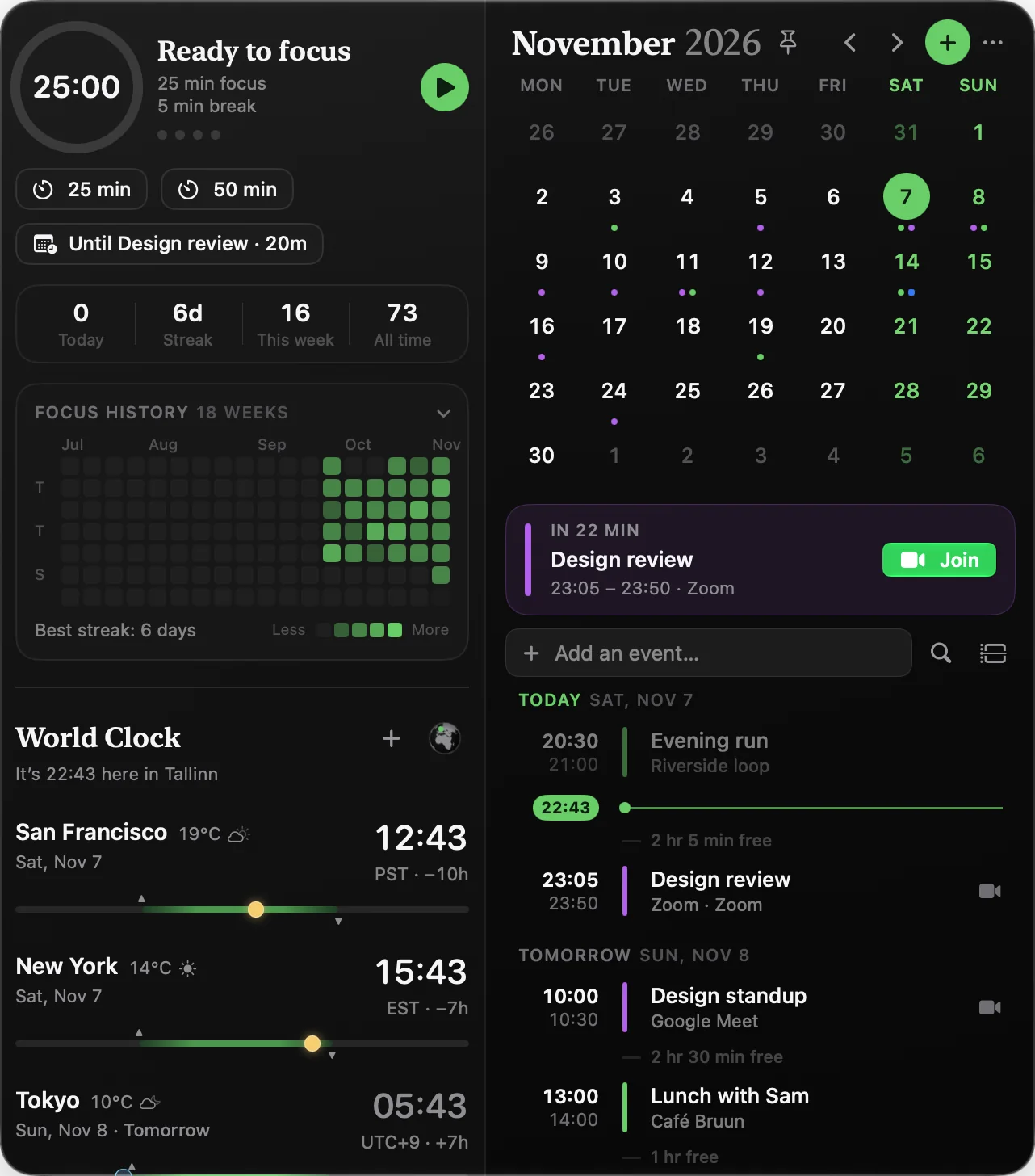
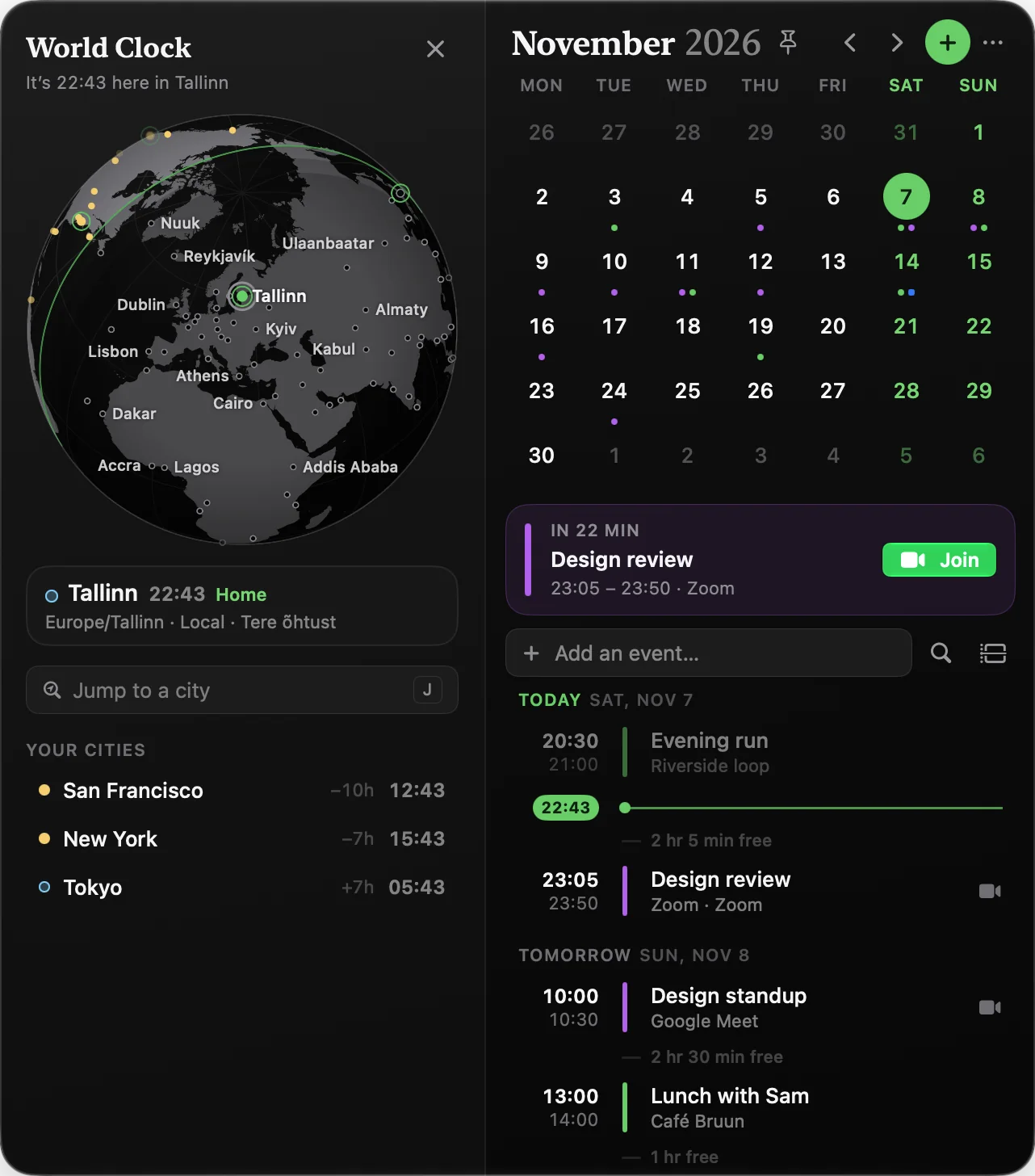
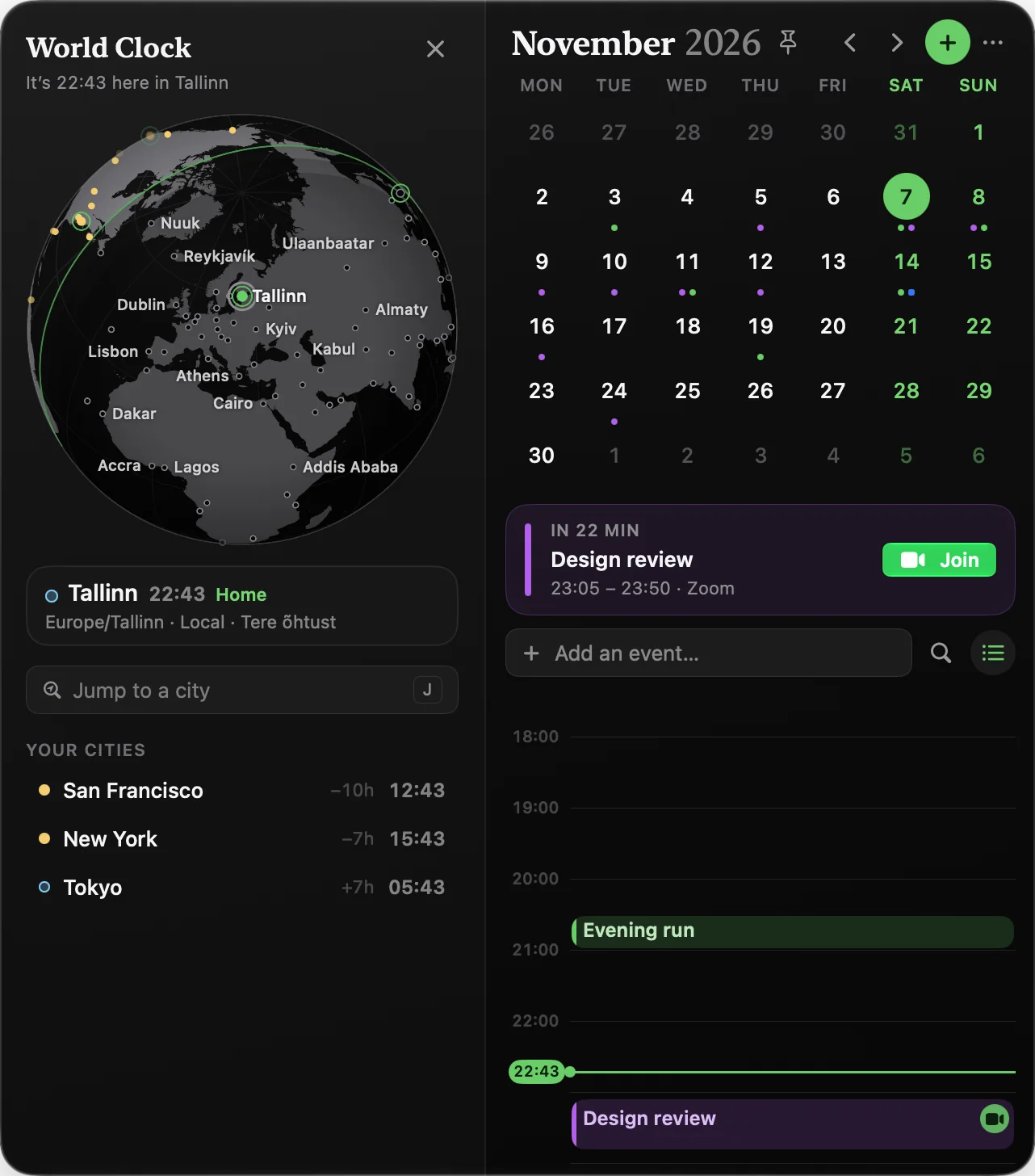
A calendar that lives in the Mac menu bar. Month and agenda, a world clock with a real spinning globe, a focus timer that respects your meetings, and one-click joins for Zoom, Meet and Teams. Native for macOS Tahoe.
Calendar.app can stay closed. Everything below sits in one panel, one click from the date in your menu bar, and it works with every calendar already on your Mac.
Aika reads the sentence, fills in the date, time, length, repeat and calendar, and saves on Return. Numbers that aren’t times stay put — “1:1 with Sam” is still a 1:1.
Free time between events. Overlaps called out. Who accepted, who declined. A Now card counts down to the next call, turns orange at 15 minutes and red at 5, with Join right there.
Press D. Work hours are shaded, overlapping events sit side by side, all-day events sit on top, and the red line is now. Press and drag on empty space to sketch a new event — it snaps to 15 minutes and shows the length as you go.
A real globe with the day–night line moving in real time. Sunrise and sunset per city, the actual moon phase at night, the weather, and a greeting in the local language. Drag it. Hover a city. Click one to make it home.
25 or 50 minutes, or “until your next meeting”. Two minutes before a call, the timer pauses itself and tells you why. Finished sessions land on a history grid, streaks included, and the countdown sits in your menu bar.
When a call starts, every display dims and a glass card appears: title, time, service, attendees, and Join. Snooze one or five minutes. It never steals focus from what you’re typing.
Starts in 2 min · 12:00 – 12:45 · Priya, Sam, Jonas +1
Six icon styles. Show the weekday, date, month, time, week number, UTC — or write your own format. Add a next-event item that counts down and changes color as the call nears. Put any city in the bar as its own clock.
Screenshots from Aika 1.6 on macOS Tahoe, with a demo calendar. The live panel at the top of this page is a web recreation; this is the app.
Pick a mood. The panel, the Settings window and the globe all follow. Click one to try it on the panel above.
Press / and search 90 days back and a year ahead. Events and reminders.
Press P and the panel stays open, on every Space, even over full-screen apps.
Drag across days in the month, or shift-click a range, to create an all-day span.
Join Next Meeting, Open Aika, New Event, What’s Next, Toggle Focus. “Join my meeting with Aika.”
Open Aika, new event, join the next meeting, start or pause focus. Record any keys.
Fourteen sounds, off by default. A soft Glass on the hour if you want one.
Live temperature per city, sunrise and sunset ticks, the real moon phase at night.
Hover a city and it greets you in the local language — Odia in Odisha, Catalan in Catalonia.
Hide an event or a whole series. Mute its alerts. Undo from the toast, or restore it later in Settings.
Due today, overdue, done. Tick them off from the agenda, or open in Reminders.
Declined events are struck through. Tentative ones get a dashed stripe and “Maybe”.
EventKit only. No account, no analytics in the app. Weather asks only for your saved cities.
Itsycal is free and thin. Fantastical is a full calendar with a yearly bill. Aika sits in between — and does a few things none of them do.
| Feature | Aika | Itsycal | Dato | Fantastical |
|---|---|---|---|---|
| Month grid in the menu bar | ✓ | ✓ | ✓ | ✓ |
| Upcoming events & reminders | ✓ | ✓ | ✓ | ✓ |
| World clock | ✓ | — | ✓ | ✓ |
| 3D globe with real day & night | ✓ | — | — | — |
| One-click meeting joins | ✓ | — | ✓ | ✓ |
| Full-screen meeting alert | ✓ | — | ✓ | — |
| Create events from the menu bar | ✓ | ✓ | ✓ | ✓ |
| Type an event in plain language | ✓ | — | — | ✓ |
| Focus timer that pauses for meetings | ✓ | — | — | — |
| Focus history | ✓ | — | — | — |
| Find a time across time zones | ✓ | — | — | — |
| Hourly chimes | ✓ | — | ✓ | — |
| Global keyboard shortcuts | ✓ | ✓ | ✓ | ✓ |
| No data collection | ✓ | ✓ | ✓ | — |
| Price | $9.99 once | Free | ~$16 once | $57 / year |
Competitor prices as listed on their sites at the time of writing. Aika’s $9.99 is the Black Friday price; the regular price is $19.99.
One payment, every future update. No subscription, no account, no upsell. The deal ends when the counter does.
Lifetime license · all updates included · macOS 26.2 or later
Instant license key by email. All sales are final — refund policy.
macOS Tahoe 26.2 or later. Aika is a native SwiftUI app and uses the newest system features, so older versions are not supported.
No. You pay once and Aika is yours, including future updates. There is no monthly plan, no account, and no upsell inside the app.
The $9.99 price runs until December 1, 2026. After that the price goes up to $19.99. The license is lifetime either way.
No. Calendars and reminders are read locally through Apple’s EventKit and never leave your Mac. There is no analytics or telemetry in the app and no user account. The only network calls are the weather for your saved cities (MET Norway, coordinates only) and the daily update check. This website uses Microsoft Clarity; the app does not.
Yes. Aika shows every calendar already on your Mac. Add Google, Outlook, Exchange or any CalDAV account in System Settings → Internet Accounts, and it appears in Aika.
Zoom, Google Meet, Microsoft Teams, Webex, Slack huddles, FaceTime, Around, Tuple, GoTo Meeting, BlueJeans, Jitsi, Whereby, Lark, RingCentral and Skype. Aika finds the link in the event URL, the location, or the notes. Zoom and Teams links open in their desktop apps.
Itsycal is a month and a list, and it is free. Dato adds clocks and join buttons for about $16. Aika does both, and adds a 3D globe with real day and night, time travel, a day timeline, a focus timer that pauses for meetings, natural-language event creation, full-screen alerts and six themes.
Yes. Two minutes before your next meeting the session pauses and a notice says which meeting is coming. You can also start a session that runs “until the next meeting”. Every session counts toward the history grid and your streak.
Download the installer, open it and click Continue, then Install. Aika opens by itself when it is done. Enter the license key from your email, grant Calendar and Reminders access once, and the date appears in your menu bar. The first-run setup walks you through the menu bar style and an optional shortcut.
All sales are final. Aika is a digital product delivered instantly, so purchases cannot be refunded. Please read the features and requirements before buying, and write to mail@macmenubarcalendar.com with any questions first.